Build your own
DM bot
In October I signed up for a ManyChat free trial. Comment LEAP or PROMPT under my reels and you got a DM with the link.
On 2 November it was about to renew at $184.80 a year. I cancelled and built my own with Claude Code the same day. I already had the Meta app from posting my reels. It runs twice a day on GitHub's free plan, so it costs me $0 on top of my Claude Code subscription.
ManyChat is good at what it does. This is what I did instead, and what I gave up.
Someone comments a word under your post. ManyChat DMs them your link the second they comment.
Nobody has to sit there replying. That's what businesses pay for.
I told Claude to set it up for The Leap:
"Since I signed for ManyChat for a free trial, make use of it."
All 31 answered by ManyChat.
On 2 November I asked Claude:
"Just thinking, u can reply to my comment now, right? So do we need to use ManyChat?"
It could. Claude already posted my reels through Meta's API, and the same connection can reply to comments. I cancelled before it renewed.
"Ok, I cancelled.. we can discuss how to run our own ManyChat later.. I don't need the reply to be immediate.. maybe twice a day to run thru the comment is ok, or once."
Replies that can wait a few hours only need a job that runs twice a day.
31 keyword comments in two weeks is about two a day. You can answer that by hand. For anyone at my numbers or below.
For you if you want instant DMs, the flow builder or a contact list, or never want to open a Meta developer app.
For you if twice a day is fine and you'll sit through a fiddly setup once.
Under any of my posts.
08:00 and 18:00 UTC. My Mac can be off.
On my last 50 posts.
LEAP or PROMPT. Skips anyone I already replied to, and comments older than 7 days.
One private reply with the link, through my Page token.
"Sent it to your DMs."
In their DMs, or in message requests if they don't follow me.
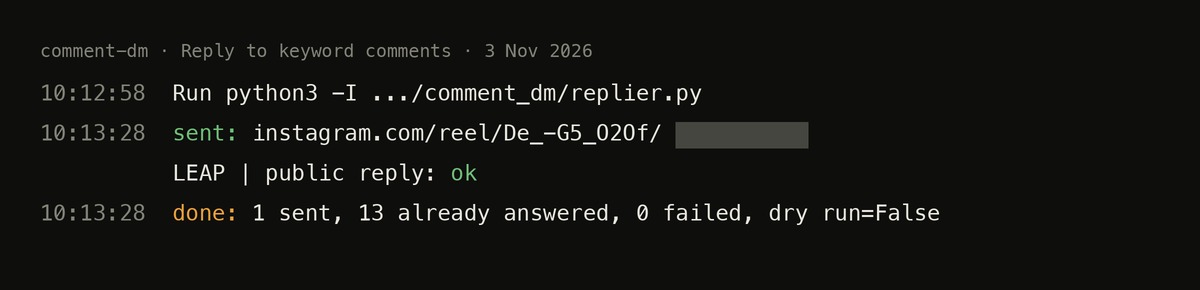
About 130 lines of Python. A comment counts as answered once I've replied under it. Every run ends with one line: sent, already answered, failed. A failed run gets flagged on GitHub.
Claude wrote the code. The setup is on you.
- 01A Meta developer app.
- 02A Facebook Page linked to your Instagram professional account.
- 03A Page token.
- 04Advanced Access for messaging. Without it, Meta only lets your app reach people who have a role on the app. Getting it may mean going through Meta's App Review.
- 05A GitHub repo, with the token as a secret, never in the code.
- 06A 5-minute re-login about every 90 days. The token doesn't expire, its data access does (mine: 24 Jan 2027). Miss it and the run fails. GitHub flags it.
- 07Meta allows one private reply per comment, within 7 days. If the token lapses for over a week, those people miss out.
Meta has rules on automated messaging: the Meta Platform Terms and the private replies docs. I haven't audited my setup against them. Read them before you switch yours on.
I already had the Meta app and Page token from posting my reels through the API (Module 02). On top of that, the DM job took one session with Claude. From zero, the Meta side will take longer.
Start with one keyword and a test comment from a second account. Follow along for the ride, and for more tips as I share what I learn.
Feeling lost? Try The Leap. It's free, there's no catch. It takes about two hours, and I swear you'll walk out with more clarity on what to do next than when you started.
Start with The Leap (free) →